Reporting
Automatically or manually
Agenda
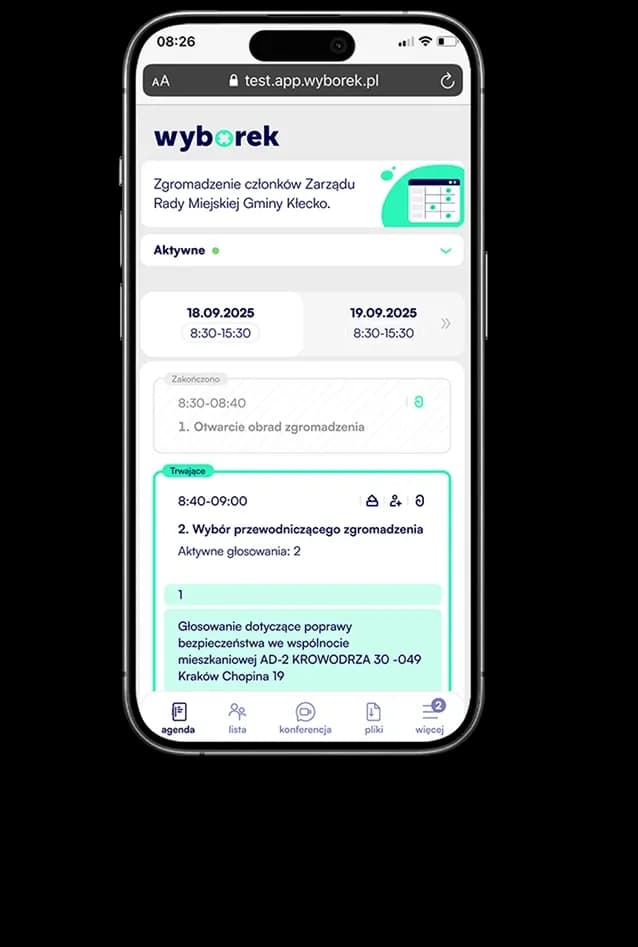
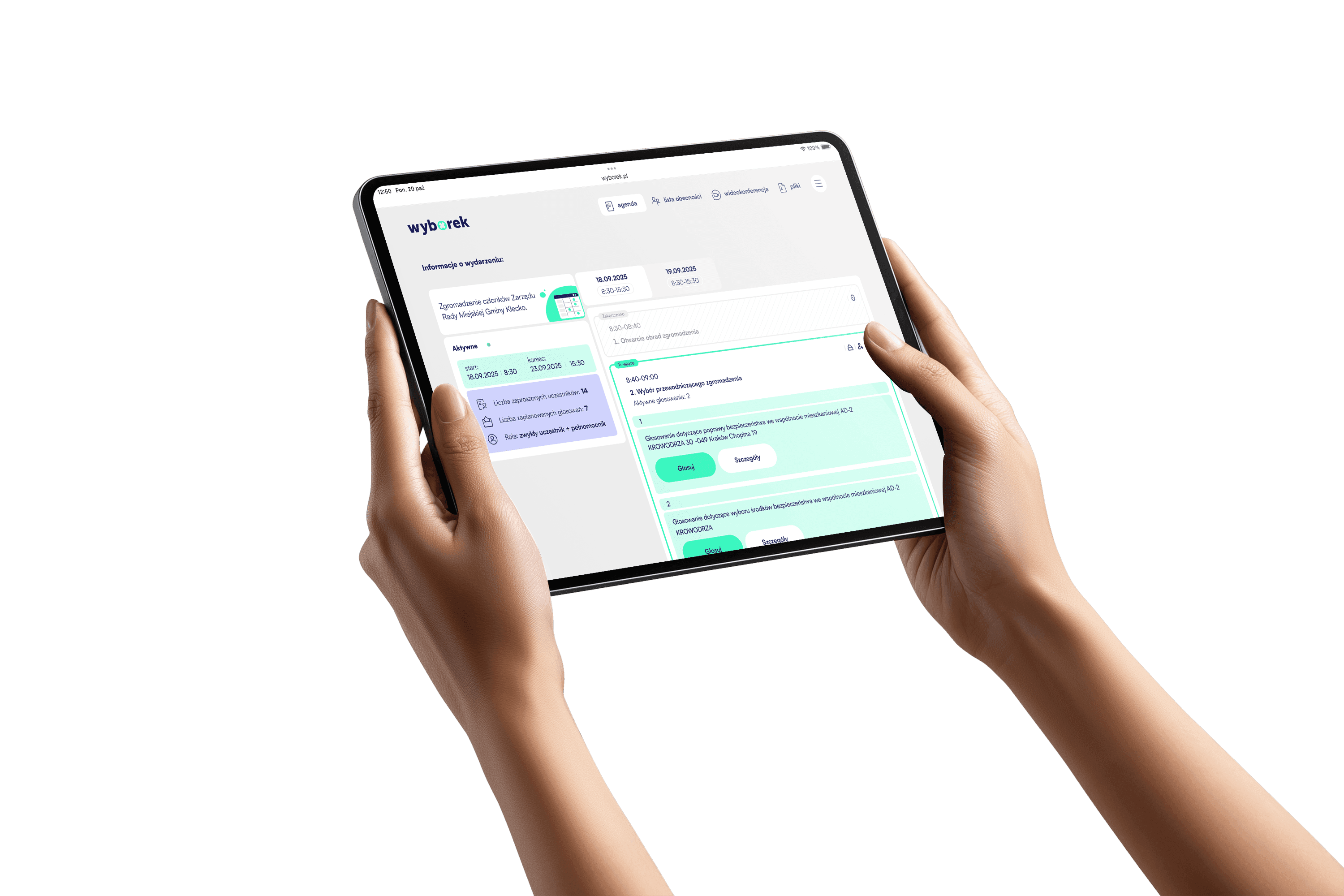
Create multi-day events
Open or secret.
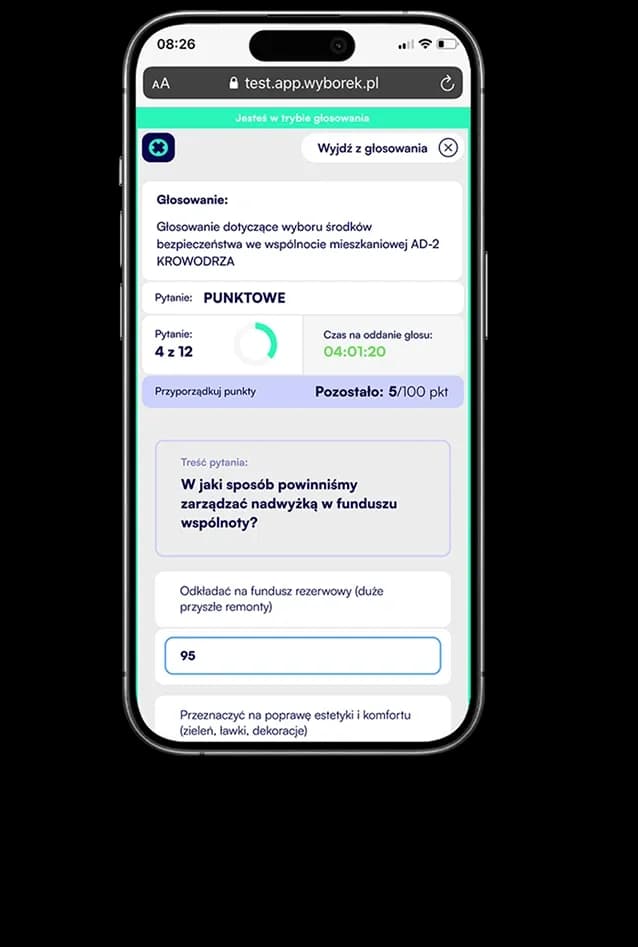
Cast votes that will be visible or anonymous
Votee AI
Your assistant in creating events and votes.

Various types of voting
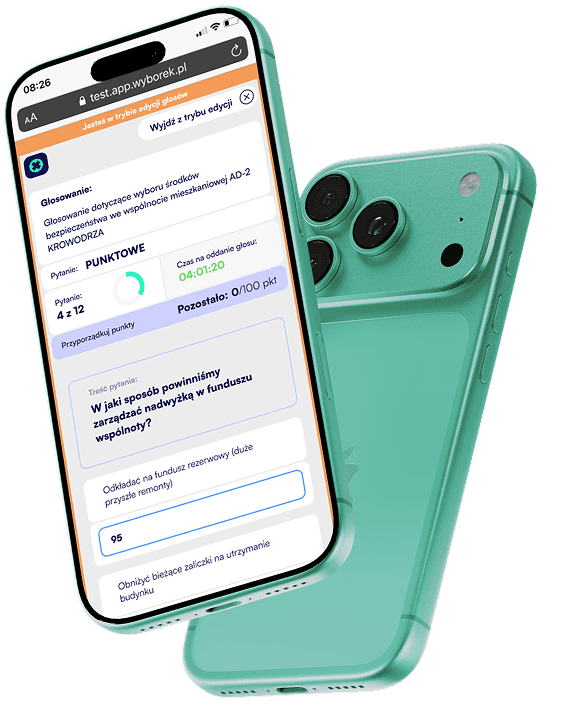
and the ability to edit votes
Quorum
Votes with proxy

Video conference and chat
Logotype
Events under your organization's brand

Invitations
via SMS or email.

1234
Decisions are made through a standardized process, regardless of unit, location, or team composition. This supports enforcing corporate governance rules.
How does it work?work
For Administrators, 1/4: Event Setup
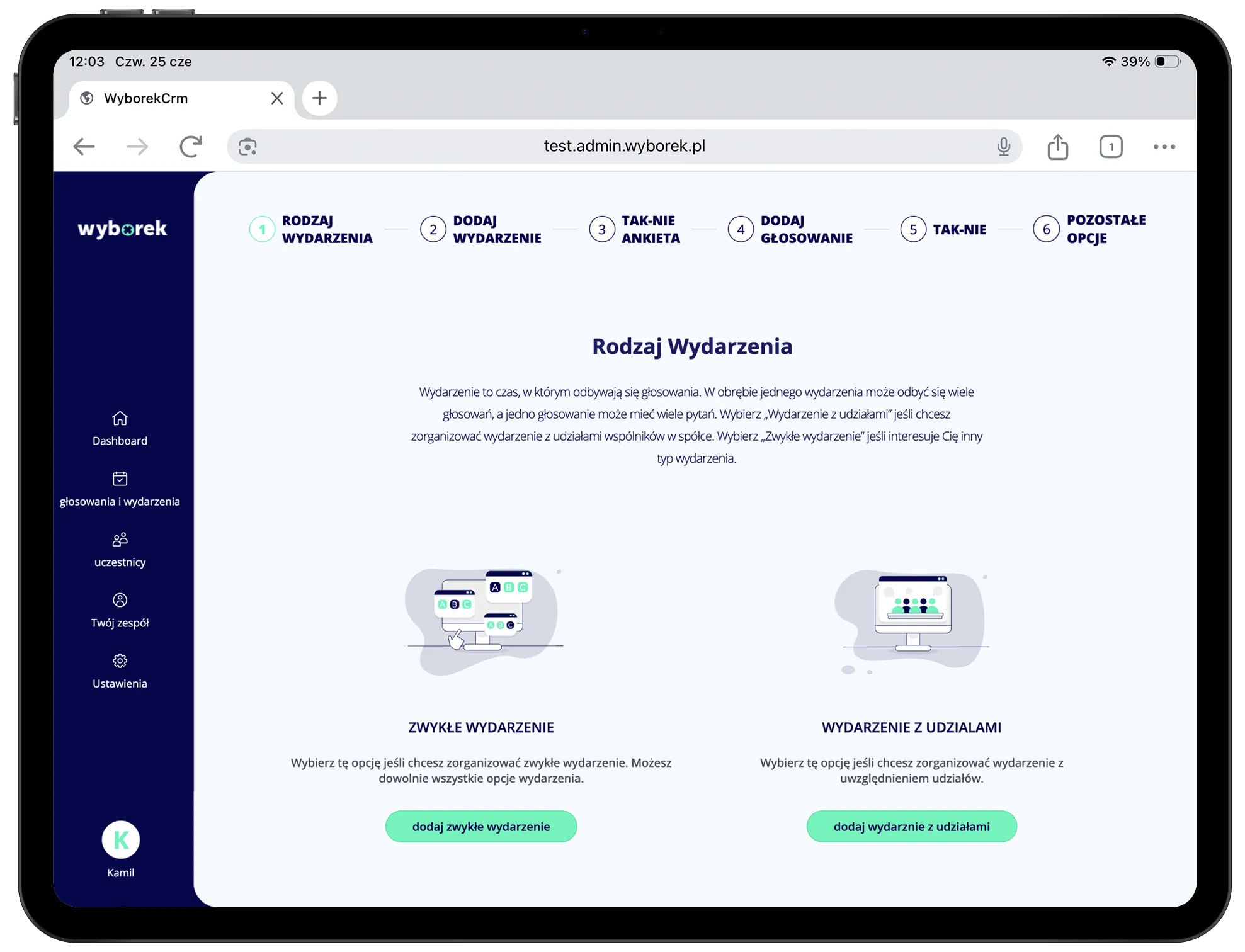
Start now
Want to see how wyborek works? Schedule a demo meeting or create a free account and set up your first event!
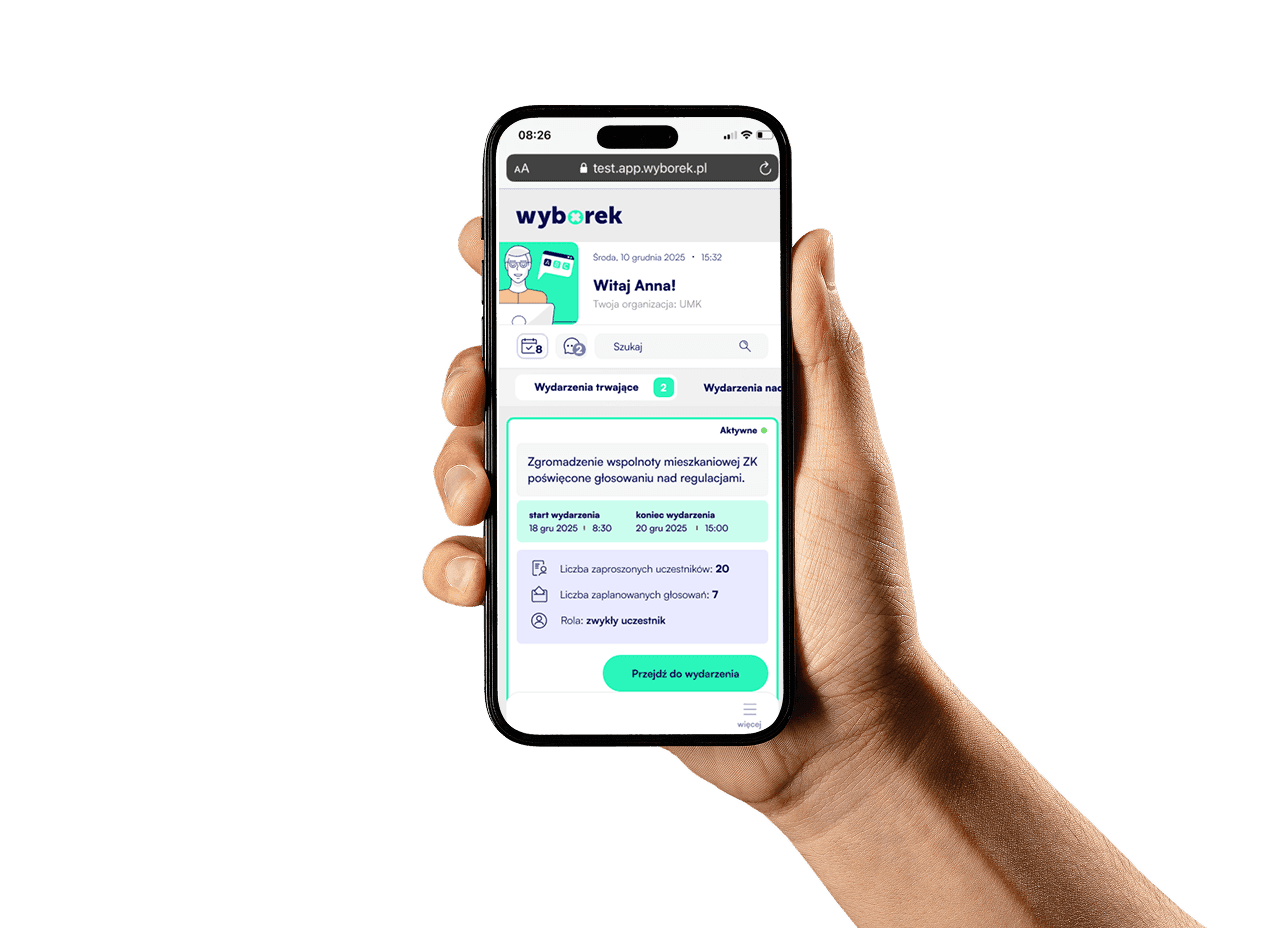
Example event scenarios
Votey adapts to your meeting.
Example scenario:
Supervisory Board
Event
- Authorization
- email + sms
- Communication
- video conference
- Agenda
- 1 day
Voting
- Voting type
- survey + yes/no
- Mode
- open
- Proxies
- yes
- Report
- yes
Supervisory Boards
Joint-stock Companies
Cooperative Banks
Invite board members, conduct formal resolution votes with proxies, and generate an automatic meeting report.

Example scenario:
General Assembly
Event
- Authorization
- Communication
- video conference + chat
- Agenda
- 2 days
Voting
- Voting type
- survey
- Mode
- open
- Proxies
- yes
- Quorum
- required
Organizations
Ltd. Companies
Management Boards
Manage a two-day general meeting with quorum verification, proxies, and open voting – via video conference with chat.
Example scenario:
Collecting Opinions
Event
- Authorization
- email + sms
- Communication
- video conference
- Agenda
- 1 day
Voting
- Voting type
- survey + yes/no
- Mode
- open
- Proxy
- yes
- Report
- yes
Residential Communities
Committees
Gather opinions from community or committee members through secure surveys and yes/no votes with an automatic results report.
Example scenario:
Public Consultations
Event
- Authorization
- open event
- Communication
- none
- Availability time
- 2 months
Voting
- Voting type
- survey + yes/no
- Mode
- secret
- Proxies
- none
- Report
- yes
Management Boards
Organizations
Cooperative Banks
Open consultations to the broader community for 2 months – anonymous surveys without registration and a full results report.
Example scenario:
Consultations
Event
- Authorization
- email + sms
- Communication
- video conference
- Agenda
- 1 day
Voting
- Voting type
- survey + yes/no
- Mode
- open
- Proxy
- yes
- Report
- yes
Ltd. Companies
Committees
Management Boards
Run internal board or committee consultations with open voting, proxies, and a full results report.
Example scenario:
General Assembly
Event
- Authorization
- Agenda
- 2 days
- Communication
- video conference + chat
Voting
- Voting type
- survey
- Mode
- open
- Proxies
- yes
- Quorum
- required
Supervisory Boards
Joint-stock Companies
Organize a formal general meeting of a joint-stock company with quorum control, proxies, and open voting via video conference.
Who is our system for?
dsadasd
Corporate Entities
Corporate entities use Votey to organise formal and operational events where fast, secure decision-making is essential – whether in-person, remote, or hybrid.
Enterprises
Capital Companies (S.A., sp. z o.o.)
Capital Groups
Startups & Scale-ups

Typical events
- 01Management board meetings
- 02Supervisory board meetings
- 03General assemblies
- 04Decision-making committees

Typical votes
- 01Management resolutions
- 02Investment option selection
- 03Budget approvals
- 04Votes with proxy

dsadasd
Financial Institutions
Financial institutions require full transparency and regulatory compliance. Votey provides secure votes with documentation, quorum verification, and proxy handling – for every type of meeting.
Cooperative Banks
Insurance Companies
Funds & Savings Institutions
Credit Unions
Typical events
- 01General assemblies
- 02Supervisory board meetings
- 03Management board sessions
- 04Audit committees
Typical votes
- 01Approval of financial reports
- 02Election of authorities
- 03Statutory resolutions
- 04Surplus distribution

dsadasd
Communities & Cooperatives
Communities and cooperatives hold meetings with broad member groups, often without digital platform experience. Votey simplifies the entire process – from invitation to voting to meeting report.
Residential Communities
Housing Cooperatives
Labour Cooperatives
Agricultural Cooperatives
Typical events
- 01Residents association meetings
- 02Cooperative general assemblies
- 03Member group meetings
- 04Board meetings
Typical votes
- 01Election of board & supervisory board
- 02Approval of renovation plans
- 03Surplus distribution
- 04Statute amendments

dsadasd
Public Institutions
Public institutions operate under strict procedural and legal requirements for votes and documentation. Votey handles both closed collegial sessions and open public consultations.
Local Government Units
State Administration Bodies
Inter-municipal Associations
Participatory Budgeting
Emergency & Uniformed Services
Typical events
- 01Municipal & county council sessions
- 02Regional assembly sessions
- 03Committees & subcommittees
- 04Public consultations
Typical votes
- 01Budget adoption
- 02Election of collegiate bodies
- 03Open and secret ballots
- 04Participatory budget votes

dsadasd
Organisations & Associations
NGOs and associations need a simple tool to engage their members. Votey enables democratic decision-making – regardless of the number of participants or the location of the meeting.
Foundations
Associations
Non-Governmental Organisations (NGO)
Industry Chambers & Unions
Typical events
- 01General assemblies
- 02Board meetings
- 03Audit committee meetings
- 04Working group sessions
Typical votes
- 01Election of association authorities
- 02Approval of financial reports
- 03Programme resolutions
- 04Admission & exclusion of members
dsadasd
Education & Science
Academic and scientific communities require transparent, documented elections and votes – from rector elections to parent council meetings. Votey supports every level of the educational community.
Universities & Higher Education
Student & Doctoral Councils
Research Councils & Institutes
Schools & Educational Institutions
Academic Clubs & Societies
Typical events
- 01Rector & vice-rector elections
- 02Senate sessions
- 03Faculty council meetings
- 04Student council assemblies
Typical votes
- 01University authority elections
- 02Statute votes
- 03Research council resolutions
- 04Academic club elections

Frequently Asked Questions.
Have questions? We have gathered the most common ones here — along with simple, helpful answers to resolve them. If you cannot find the answer you are looking for, contact us and we will be happy to help.
Yes. The system was designed with formal events in mind – such as governing body meetings, general assemblies, and consultations – with support for quorum, proxies, and reports.
If a participant loses connection, they can rejoin the event from their account within the selected organisation and – as long as the vote is still ongoing – cast their vote.
Yes. Organisers and participants have access to the event archive, where they can review the agenda, voting results, and the chat log if it was available during the event.
Yes. Votey is scalable and supports both small meetings with a handful of people and large events with hundreds of participants. The system infrastructure ensures stable performance regardless of the number of connected users.
Yes. Every vote is encrypted and access to the event requires authentication. The system prevents any participant from casting more than one vote, and results are generated once the vote closes — available to the administrator in a report.
Votey is designed in accordance with WCAG 2.1 digital accessibility guidelines. The interface supports keyboard navigation, is compatible with screen readers, and maintains appropriate colour contrast.
Yes. The system was designed with formal events in mind – such as governing body meetings, general assemblies, and consultations – with support for quorum, proxies, and reports.
Yes. Organisers and participants have access to the event archive, where they can review the agenda, voting results, and the chat log if it was available during the event.
Yes. Every vote is encrypted and access to the event requires authentication. The system prevents any participant from casting more than one vote, and results are generated once the vote closes — available to the administrator in a report.